

Every estimate update brings the same questions: What changed, where did it change, and why?
Answering them should not require lining up estimates in Excel, rebuilding the math, and searching through emails for the story behind the numbers. ConCntric’s Variance Tracking keeps the comparison and the explanation together. Build a compelling story and quickly validate with all your stakeholders with ease.
Variance Tracking at a Glance
Variance Tracking lets teams compare any two milestone estimates, pinpoint where costs changed, and keep the explanation attached to the number so estimate updates are faster to review, easier to communicate, and more defensible.
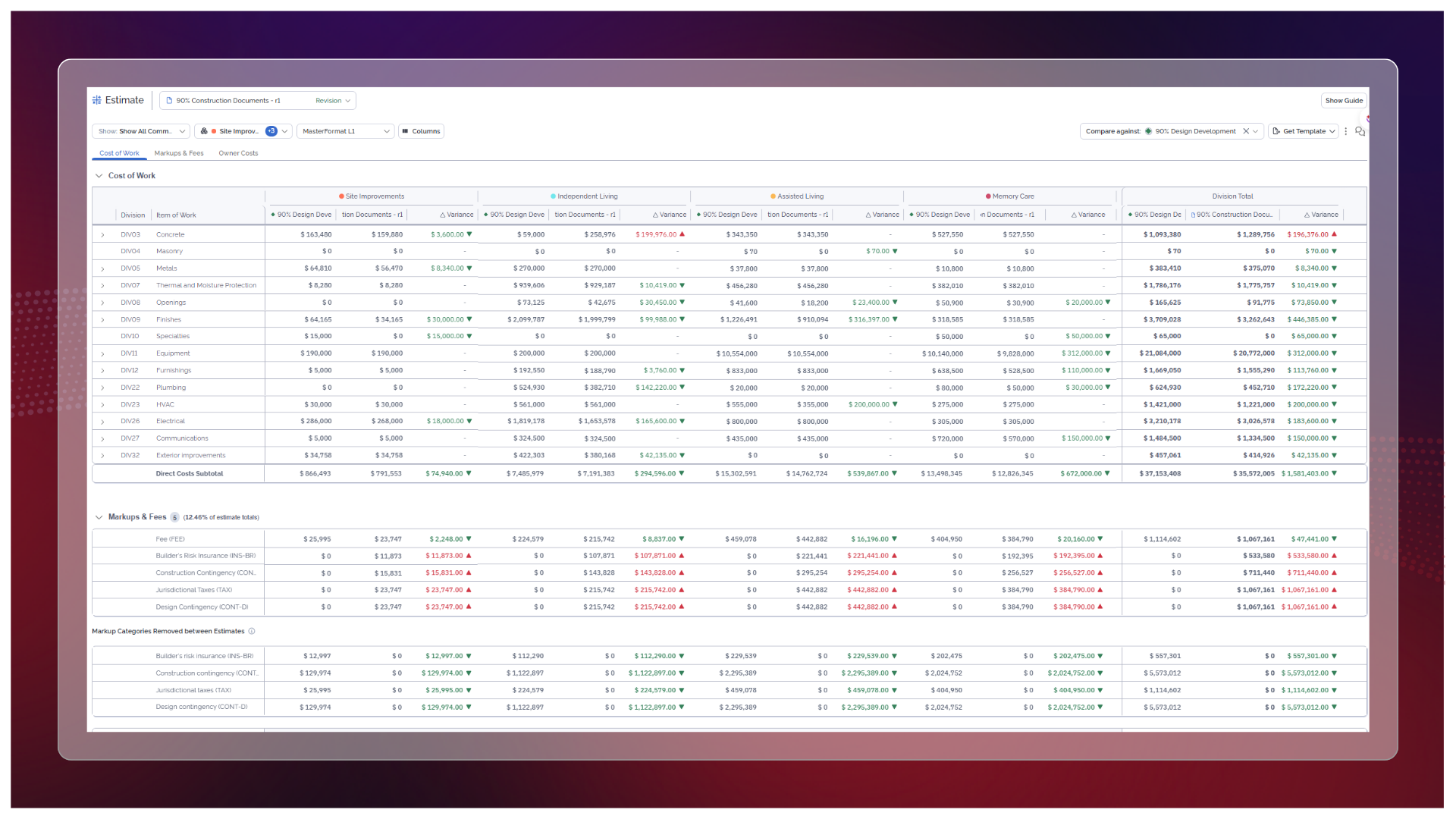
- Compare any two milestone estimates at the project, division, component, subtotal, and line-item levels.
- Quickly identify the largest increases and decreases with color-coded variances, sorting, and drilldown.
- Reconcile changes to the full project total, including markups, owner costs, and categories removed between estimates.
- Add comments directly to any line item or variance and carry those explanations into the exported estimate report.
From “What Changed?” to “Here’s Why”
Estimates are supposed to move as design develops, scope changes, and assumptions become clearer. The headache is reconstructing how dozens of changes added up to the latest total.
Variance Tracking gives teams a side-by-side view of the milestones that matter. They can see the overall movement, find the divisions or components driving it, and drill down to the individual line items behind the change… all without building another spreadsheet that will need its own spreadsheet.
Comments stay attached to the variance they explain, creating a project record teams can return to months later or after staffing changes. Those explanations can also be included alongside the numbers in the Standard Estimate Report.
Estimate Revisions establishes the updated cost positions. Variance Tracking explains the movement between them. The result is less time rebuilding the past and a clearer, more defensible answer when someone asks what changed—and why.
