

Preconstruction generates a lot of content: drawings, specifications, estimates, sketches, presentations, reports, and plenty of files named something like “FINAL_v7_Updated.”
The problem is not just finding the right document. It is keeping that document connected to the issue, risk, decision, or cost conversation it supports.
Content Management and Content Viewer at a Glance
Content Management creates a central, searchable home for project files, while Content Viewer lets teams open, annotate, and connect those files directly to the preconstruction work they inform.
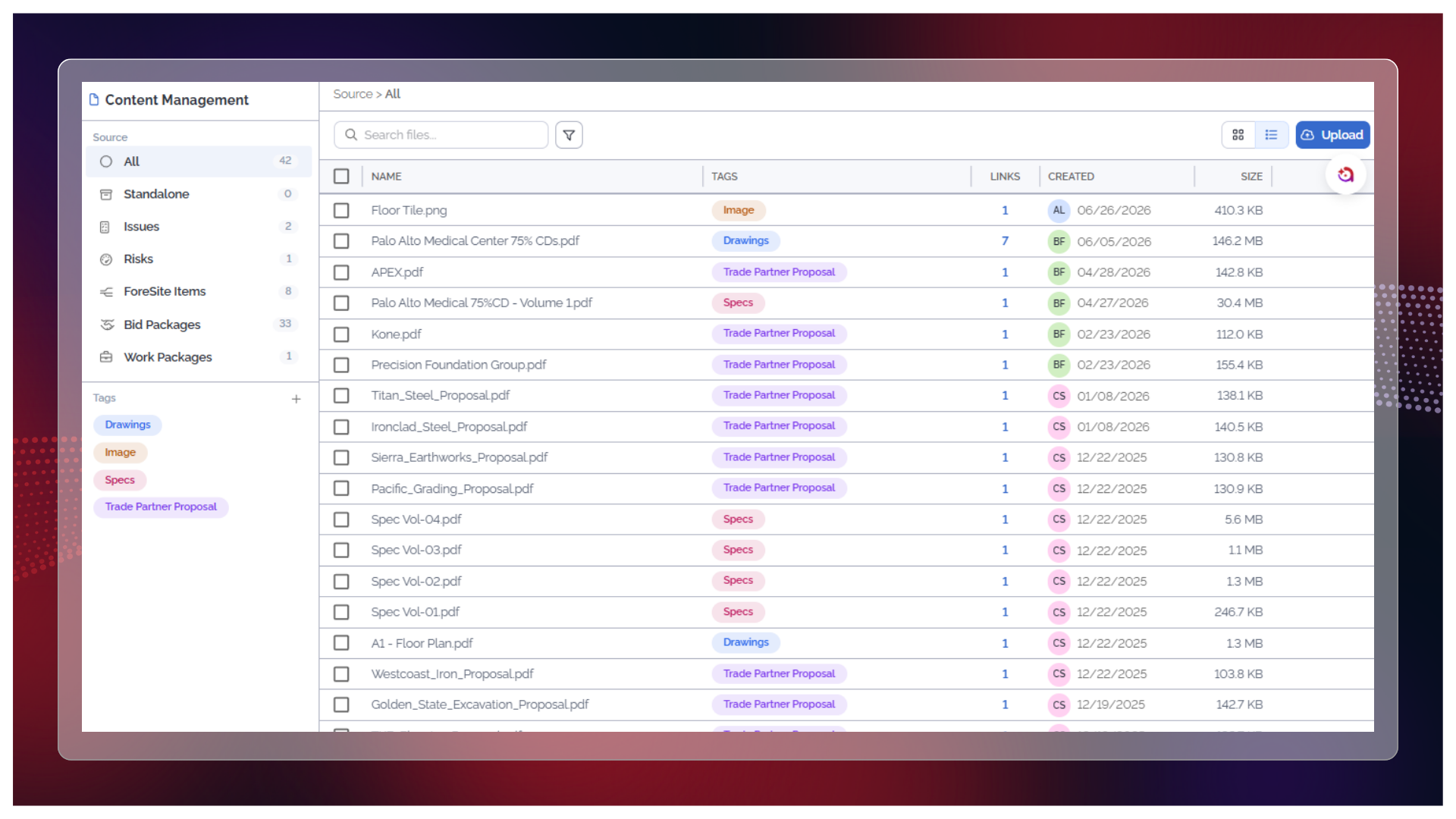
- Keep project files, attachments, sketches, and other preconstruction content together in one searchable library for easy access.
- Organize content with configurable tags and see which issues, risks, or project records each file supports.
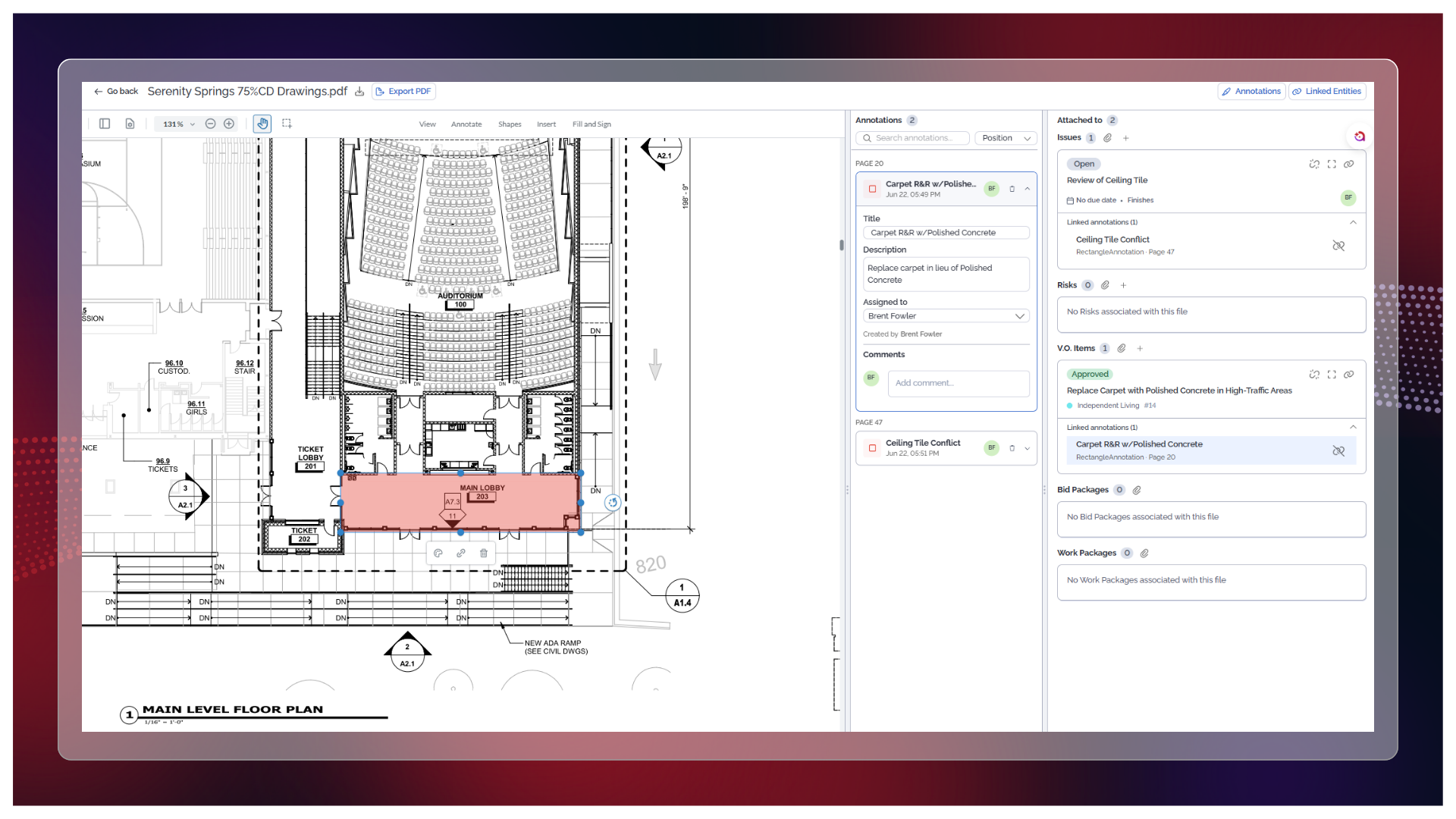
- Open and annotate drawings, specifications, estimates, and other files without leaving ConCntric.
- Connect reviewed content directly to issues, risks, value option items, and bid or work packages.
One Home for the Project’s Content
Files uploaded directly to the project or attached to an issue or risk automatically surface in Content Management.
Teams can search file names and descriptions, organize documents with tags, and see where each file is already being used. They can also link or unlink files from issues and risks without creating another copy.
That means less digging through emails, shared drives, and individual modules to answer questions like:
“Where is the file we used?”
From Review to Action
Finding the file is only the first step.
Content Viewer lets teams open and mark up documents directly in ConCntric, then link what they find to an issue, risk, value option, or bid package without jumping between tools or re-entering the context somewhere else.
Instead of ending a review session with a page of notes that still needs to be transferred, teams can finish with annotated documents, connected work items, and a clear record of what was seen and flagged.
Together, Content Management and Content Viewer keep project content closer to the decisions it supports.
The result is less file hunting, less duplicated content, and fewer important details lost somewhere between opening a document and acting on it.
